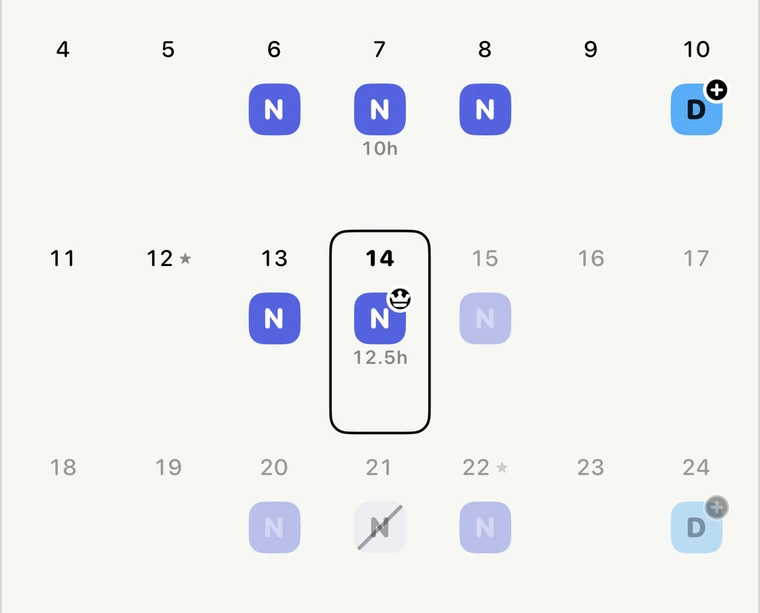
Your rotating shift calendar, filled for the year.
Pick your rotation — DuPont, Pitman, 4 on 4 off, 24/48, 3×12 or 7 more — and Shift Calendar (formerly ShiftCheck) fills in every shift, months ahead.
October 2026
DuPont · 28-day cycle · 17 shifts this month · 42 h a week on average

Pick your rotation once. Every shift fills in.

Free. Pro is a one-time unlock — no subscription, no ads, no account.
Shift differential pay by job
- Registered nurse (RN)median $46.90/h · nights +$4.00–$6.50/h
- LPN / LVNmedian $30.96/h · nights +$3.75–$6.50/h
- CNA / nursing assistantmedian $20.32/h · nights +$0.50–$4.00/h
- EMT & paramedicmedian $29.13/h · nights +$0.50–$2.00/h
- Firefightermedian $28.50/h
- Correctional officermedian $28.34/h · nights +$0.50–$2.00/h
- Police officermedian $36.64/h · nights +$1.00–$2.00/h
- Warehouse workermedian $19.35/h · nights +$0.35–$5.50/h
- Manufacturing workermedian $21.47/h · nights +10%
- Retail & grocery workermedian $17.95/h · nights +$1.00–$2.00/h
Questions
What is a DuPont schedule?
Four nights, three off, three days, one off, three nights, three off, four days, then seven days off. A 28-day cycle of 12-hour shifts for four crews, averaging 42 hours a week, famous for its week off and its 72-hour week.
How does the Pitman schedule work?
The 2-2-3 template worked on days for two weeks, then on nights for two weeks. A 28-day cycle of 12-hour shifts for four crews, averaging 42 hours a week, with every other weekend off on days and on nights alike.
What is a 4 on 4 off schedule?
Four 12-hour shifts, then four days off, on an 8-day cycle. The simplest 12-hour pattern there is, averaging 42 hours a week and giving you a four-day break every eight days. Two crews cover days; add two more for nights.
What is a 24/48 schedule?
One 24-hour shift, then two days off, repeating every three days. The traditional three-platoon firefighter schedule, averaging 56 hours a week with a shift every third day.
Does Shift Calendar work as a nurse schedule app for 3x12?
Yes. Pick the 3×12 preset and your first day, and every shift fills in months ahead. Three 12-hour shifts in a seven-day week, then four days off. The standard full-time hospital schedule for nurses and allied health: 36 hours a week, never over 40, and four days off in every seven.
Is Shift Calendar free?
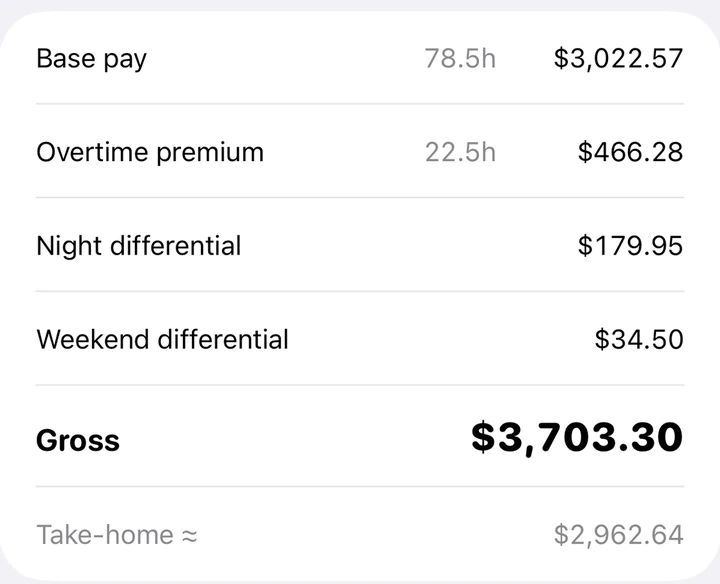
Yes. The calendar is free with no account and no ads: rotation presets, unlimited shift types, widgets, the Apple Watch app, iCloud sync and a basic pay estimate for the month. The full pay engine is Pro, a one-time unlock. There is no subscription and nothing expires.
A rotation we don't have, or a pay rule we get wrong? Email hello@stackcurious.com.