Share your shifts with your partner
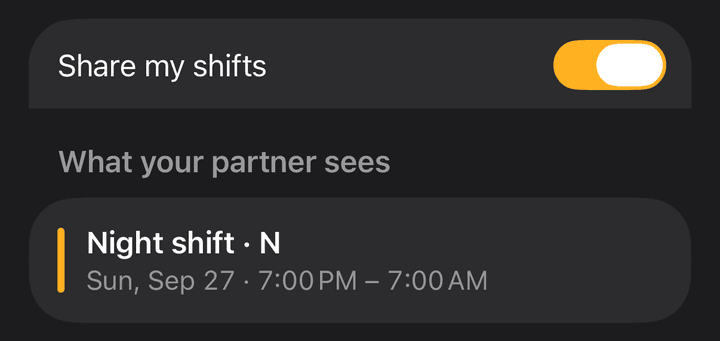
Your shifts go into a calendar named ShiftCheck in Apple Calendar, from last month to a year ahead. Share it once and your partner's calendar stays up to date by itself. Pay is never included, and your partner doesn't need the app. Partner sharing is part of Pro.
Turn it on in Shift Calendar
- 1Open Settings and tap Share with your partner.
- 2Turn on Share my shifts, and allow calendar access when asked.
Share it from the Calendar app
- 1Open Calendar and tap Calendars at the bottom.
- 2Tap ⓘ next to ShiftCheck.
- 3Tap Add Person, type your partner's email, then tap Add.
Partner uses Google Calendar or Android? In step 2, turn on Public Calendar, tap Share Link and send it to them. Anyone with the link can see your shifts.
If sharing stops
- Calendar is on this iPhone onlyIt can't be shared yet. Turn on iCloud for Calendars in the Settings app, then turn sharing off and on again.
- Calendar access is offShift Calendar needs full calendar access to keep the ShiftCheck calendar current. It never changes your other calendars.
- Updated by another of your devicesOnly one device writes the calendar, so events are never doubled.
- The ShiftCheck calendar was deletedSharing is off. Turn it on again to make a new one.
Stop sharing
Turn off Share my shifts. Your partner stops getting updates on every device. When Shift Calendar has full calendar access you can choose Turn Off and Delete Calendar, which removes the ShiftCheck calendar for you and everyone you shared it with. Otherwise choose Turn Off, Keep Calendar, the only option without full access. Your other calendars aren't touched.